P1 Series FAQ
Apr 29,2025 | 3D SHOP
What is the recommended ambient temperature and humidity for the P1 series printer?
The recommended ambient temperature of the P1 series printer is 10℃ - 30℃ (50°F - 86°F). The recommended humidity level is under 85%.
Is the heated chamber of the P1S actively heated?
No. The chamber temperature increases based on the temperature set for the heated bed and cannot be precisely controlled.
Is the filament buffer needed for single filament printing? (For X1 or P1 Series)
When printing with a single spool of filament, the buffer is not needed, since the filament spool itself can be considered as a 'buffer'.
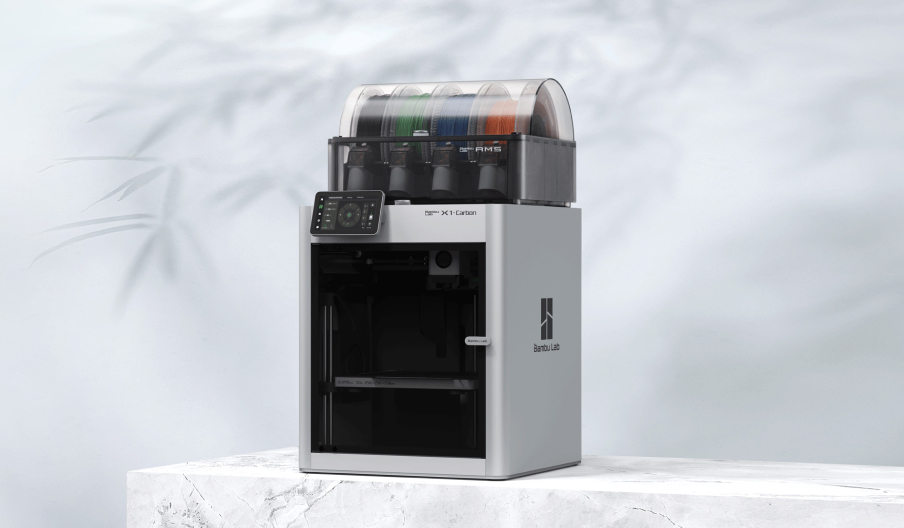
What is the difference between P1S and P1P?
Compared to the P1P, the P1S offers a fully enclosed printing chamber and a more powerful cooling solution, which includes an Auxiliary Part Cooling Fan for cooling prints, a Chamber Regulator Fan to stabilize the inner chamber temperature, and a Control Board Fan to assist in cooling the control board. Furthermore, we have equipped it with an activated carbon filter to provide a solution for printing filaments such as ABS that are prone to emitting odors and harmful gases during the printing process.
For more information, please visit our official website (https://bambulab.com/en/p1) or refer to the product specifications on our official wiki.
What is the difference between P1S and X1C?
P1S is based on the P1P with an improved cooling solution and enclosure. However, it is not recommended to directly print fiber-reinforced filaments, such as glass fiber or carbon fiber, before an extruder and hotend upgrade is done. The X1C is equipped with Micro lidar for advanced AI detection functions and offers more convenient and efficient screen interaction.
Can the Glass Cover Plate of P1S be used on P1P?
The P1 series and X1C use the same specification of glass cover plate, which is suitable for both P1P and P1S. It is recommended to use the glass cover plate when installing the side panels to prevent the glass cover plate from slipping.
Can the Front Glass Door of P1S be installed on P1P?
The P1S and X1C use the same specification for the front glass door. If you want to install a front glass door on P1P, you need to install the front door mounting kit at the same time. After installation, there may be a gap between the top of the glass door and the front cover. If you need a completely closed unit, please also replace the front cover of the P1P with the front cover of the P1S. Related WIKI links are available:
Front Glass Door installation tutorial
Front Door Mounting Kit installation tutorial
P1S front cover
Can P1P be upgraded to P1S?
Yes, P1P can be upgraded to P1S with the upgrade kit. Purchasing an upgrade kit as a set will be more cost-effective than buying individual spare parts.
What accessories do I need to upgrade my P1P to P1S?
Please refer to the following list of the P1P to P1S upgrade kit:
Glass Cover Plate, Front Door, Front Door Mounting Kit, Left Plastic Panel, Right Plastic Panel, Rear Metal Panel, Front Cover, Activated Carbon Filter, Auxiliary Part Cooling Fan, Control Board Fan, Chamber Regulator Fan, Cable Chain Assembly, Heavy Duty Toolhead Cable, PTFE Tube, Air Filter Fan Bracket.
Additionally, we offer a complete upgrade kit, and purchasing the kit for upgrading will be more cost-effective than buying the related spare parts separately.
Also, please refer to the Wiki P1P Enclosure Kit Installation Tutorial
When will the P1P upgrade package be available online, and how much will it cost?
The P1P to P1S upgrade kit is available on our web store. Please visit our store for the latest price.
Can the side panel of the P1S be used on P1P? How to install it?
Yes, the P1S side panels can be installed on the P1P. Please follow the installation guide on our official WIKI.
Left Plastic Panel
Right Plastic Panel
Rear Metal Panel
Will P1P be discontinued in the future?
We do not have any plans for discontinuing the sale of P1P so far.
I just ordered a P1P recently. Can I pay extra to replace it with P1S?
We offer an upgrade kit for upgrading from P1P to P1S. We recommend purchasing the upgrade kit for the upgrade. If you still want to replace the P1P with a P1S, please refer to the relevant return and refund policies on the web store accordingly. The P1P will need to be returned for a refund, then you can place a new order for P1S.
I bought some accessories for P1P. Can they be used on P1S?
Please refer to the detailed accessory pages on the web store, where we will indicate whether a product is compatible with P1S.
I want to know the technical specifications of P1S. Where can I check it?
Please find technical specifications onour official website and official WIKI.
Is the cable chain of P1S available for sale? Or can I purchase the cable chain of P1S and install it on P1P?
We do not sell cable chains for P1S separately, but we do have a cable chain for sale that is compatible with the X1C. If you need to upgrade the cable chain on the P1P or replace the cable chain on the P1S, you will need to purchase the X1C cable chain. You can refer to the guidance for cable chain installation on WIKI.
Can the Chamber Regulator Fan be installed on P1P?
Yes, it is possible, but you will need to print an Air Filter Fan Bracket to support the installation of the fan(click here to buy the fan). The printing file and installation instructions are available on the WIKI.
What is the maximum temperature of the heat bed?
100℃
How to setup a P1 series to print with carbon fiber or glass filaments?
If you want to print the carbon fiber filament with P1P or P1S, please upgrade it to a hardened hotend with Nozzle and Hardened Steel Extruder Gear Assembly.
Please check them here:
Hardened Steel Extruder Gear Assembly
And for filaments containing carbon fiber or glass fiber, it is highly recommended to use a hardened steel 0.6 mm nozzle to minimize the risk of clogging and abrasion.
Additionally, Bambu PLA-CF and Bambu PETG-CF have been extensively tested and proven to have a low risk of clogging when printed with a hardened steel 0.4 mm nozzle, while also achieving higher print quality.
發表評論